BONTEC Single Monitor Arm Review: Cheap Desk Space for One Screen
A simple clamp-on monitor arm can free a surprising amount of surface area. The BONTEC single arm is cheap, useful, and not for every desk.
Who this review is for
You have one monitor, a desk under 120cm wide, and the original monitor stand is using too much of the surface.
That is the normal small-desk problem. The screen itself fits fine. The stand underneath it does not. A wide plastic monitor foot can take the exact rectangle where the keyboard, notebook, lamp, or laptop needs to go.
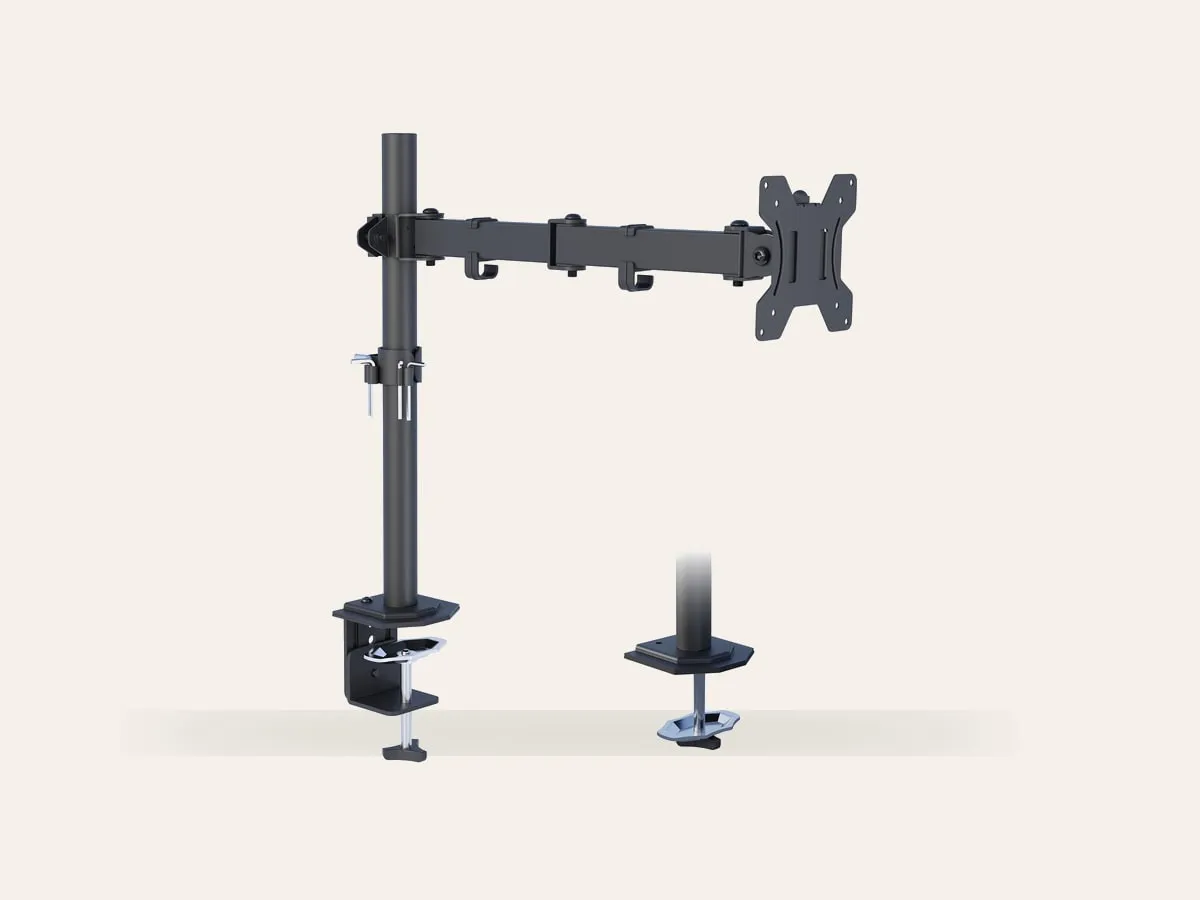
The BONTEC single monitor arm is a cheap fix for that. It clamps to the back of the desk, lifts the screen onto a pole-mounted arm, and leaves the desk surface underneath open again.
The fit that matters
This arm is made for 13 to 32 inch monitors with either 75 x 75mm or 100 x 100mm VESA mounting holes. The listed load limit is 8kg, which covers most normal 24 inch and 27 inch office monitors.
The VESA plate can rotate 360 degrees, and the arm allows tilt and swivel adjustment. The height range is handled by the pole rather than by a floating gas spring, so big changes mean loosening and resetting the collar. That is fine if the monitor mostly stays in one position. It is less convenient if you want to pull the screen around all day.
Recommended retailer Check the BONTEC single monitor arm on AmazonTypical price £28. Opens in a new tab. Check current priceWhy it helps on a small desk
On a 100cm or 120cm desk, reclaiming the monitor stand footprint changes the whole setup. A 24 inch monitor with its original stand often uses 22cm to 28cm of depth. Move it onto an arm and the area under the screen becomes usable again.
That is where this product makes most sense:
- a 24 inch monitor on a 50cm or 60cm deep desk
- a laptop plus one external screen
- a narrow desk where the keyboard keeps getting pushed too far forward
- a small bedroom setup where visible clutter matters
It pairs especially well with a shallow desk if the monitor can sit slightly behind the rear edge of the desktop. Just make sure the desk is not pushed hard against the wall, because the clamp and arm need clearance.
For the bigger buying path, compare it with Best Monitor Arms for Small Desks UK 2026 and What Desk Depth Do You Need for a 24-Inch Monitor?. If your desk is an 80cm model, the ODK 80 x 40cm desk review shows the kind of surface where stand footprint matters most.
The desk warning is real
The important caveat is the desktop material. BONTEC says not to install this arm on particle board, MDF, or glass desks. That rules out a lot of cheap flat-pack tops, including some hollow-core budget desks.
If your desk is solid wood, thick plywood, or a sturdy laminate worktop, the clamp makes sense. If the top feels hollow, flexes when pressed, or already dents under a normal monitor stand, use a reinforcement plate or avoid clamp-mounted arms altogether.
For fragile desks, the safer route is a freestanding monitor stand. It saves less space, but it does not concentrate the monitor's weight through one clamp point.
Clamp or grommet mount
There are two fitting options. The standard C-clamp grips the back of the desk and is the one most renters will use. The grommet mount fits through a cable hole or drilled hole and can look neater, but it makes less sense unless the desk already has the right hole in the right place.
For most compact rooms, the clamp is the practical answer. It can be removed, moved, and reused on a different desk.
What does not work
The arm is functional rather than luxurious. It gives height, tilt, swivel, and rotation, but it does not have the floating feel of a gas-spring arm. Once the screen is set, that is not a problem. If you constantly move the monitor between sitting, standing, drawing, and video calls, a gas-spring model is easier to live with.
Cable routing is also basic. It will tidy the monitor cable enough, but it will not turn the back of the desk into a showpiece. Add a tray or sleeve if the power brick and extension lead are still visible underneath.
How it compares
Against the Ergotron LX, the Ergotron is better in every mechanical sense. Smoother movement, nicer finish, stronger long-term feel. It also costs several times more. Buy the Ergotron if the arm will be moved often or used with an expensive monitor.
Against the BONTEC freestanding monitor stand, this clamp arm saves more surface area. The freestanding stand is safer for desks that cannot take a clamp.
Against a monitor riser, the arm is cleaner and gives more depth back. A riser is easier to fit and costs less, but the monitor foot still remains on the desk.
The bottom line
The BONTEC single monitor arm is not the fancy choice. It is the practical one for a solid small desk and one ordinary monitor.
If the desk can take the clamp, it is one of the cheapest ways to make a compact setup feel less cramped.
Where to go next
Continue from this article into the most relevant compact setup guides, reviews, and hubs.
Desk pairing
ODK 80 x 40cm Desk Review
A tiny desk example where clearing monitor-stand space can matter.
Read next
Accessory guide
Best Monitor Arms for Small Desks UK 2026
Compare clamp arms, premium arms, and no-clamp options for smaller desks.
Read next
Desk depth
What Desk Depth Do You Need for a 24-Inch Monitor?
Check whether the accessory solves the real problem, or whether the desk is too shallow.
Read next
Desk hub
Small desk reviews
Browse compact desks that pair well with monitor arms, laptop stands, and tidy cable routes.
Read next