Ergotron LX Review: The Monitor Arm That Pays for Itself in Desk Space
Three months with the Ergotron LX on a 120cm desk. Is the premium over budget arms worth it for a small-space home office?
Who this review is for
Small-space desks have a cruel geometry. A 120cm wide desk, a 27 inch monitor on a stand, and suddenly you've got about 20cm of usable depth in front of the keyboard. Every coffee cup becomes a risk assessment.
A monitor arm is the single best fix for this, and the Ergotron LX is the one that keeps getting recommended for good reason. It isn't the cheapest. It's the one you buy once.
What reclaiming the desk actually looks like
Before the arm, with a 27 inch LG on its factory stand: the base took up 28cm of depth plus the neck. The front edge of the stand sat right where my forearms wanted to rest.
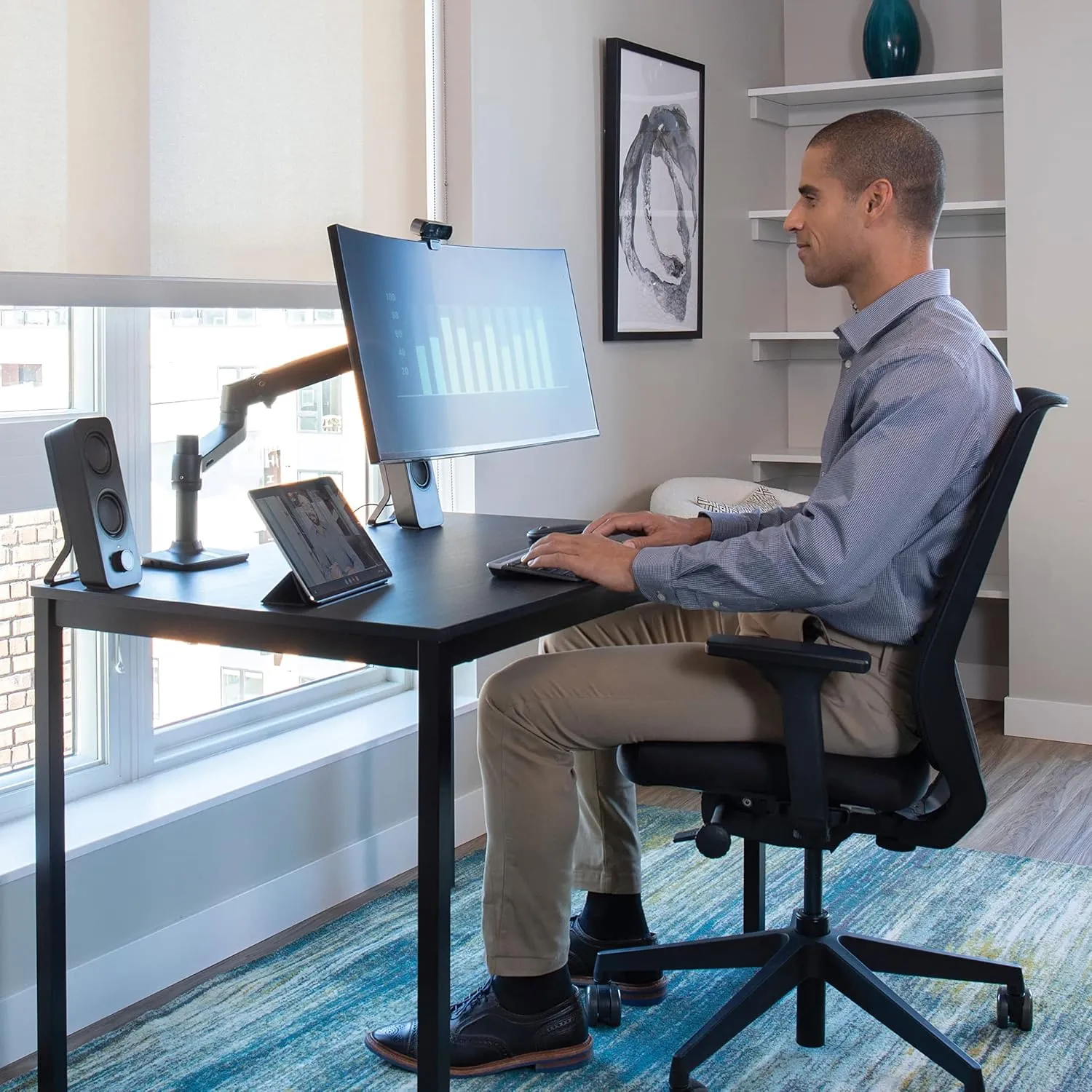
After the arm: the desk surface is flat all the way from the keyboard to the back of the desk. The monitor floats 20cm above the desk with nothing underneath it. That space is now a dock, a notebook, or nothing at all, which turns out to be the best use.
If you are not sure whether a premium arm is the right fix, start with Best Monitor Arms for Small Desks UK 2026. If the real issue is the desk itself, the small desk hub is the better place to compare footprints before spending arm money.
Recommended retailer Check the LX on AmazonTypical price £165. Opens in a new tab. Check current priceStability, which is the whole point
A monitor arm is only as useful as its ability to not wobble. The LX uses what Ergotron calls Constant Force, which is a spring-loaded mechanism rather than the gas pistons you'll find in budget arms. The practical difference: once you set the height, it stays there forever. Gas-piston arms drift as the piston ages, usually within a year.
On the stability side, I typed a paragraph with the monitor extended 50cm from the desk edge and measured about 1mm of deflection at the top of the screen. That's well inside the "don't notice it" zone. A VIVO V001 arm I tested previously on the same desk had visible wobble at the same extension.
Fit and mounting
Clamp fits desk edges between 10mm and 60mm thick. A grommet mount is included in the box if you prefer drilling a hole through the desk. The clamp needs 1cm of clear space behind the desk, which matters if your desk is pushed against a wall.
The arm itself extends up to 63cm from the mount point and folds back to 35cm when you want the monitor close. Vertical range is 33cm. For a 27 inch monitor on a 73cm desk, that covers any seated or standing position.
VESA mount is 75x75mm or 100x100mm, which covers essentially every monitor made in the last decade. Weight range is 3.2kg to 11.3kg, which covers every standard monitor and ultrawides up to 34 inches.
Cable management
This is the part the budget arms get wrong. The LX has cable channels running inside both arm segments. You route the monitor cables through the arm itself, so what you see from the front is one arm with nothing hanging off it. Power cables tuck into the base clamp and drop straight down.
On cheaper arms, cable management is a series of velcro straps clipped to the outside of the arm. It works, but it looks like cable management. The LX looks like there aren't any cables.
Which colour
The LX comes in polished aluminium and matte black. The polished version is the iconic one from Ergotron's marketing photos. It also shows every fingerprint you put on it, and they're surprisingly hard to buff out.
Unless you specifically want the shiny finish, get matte black. It's the same arm, same price (Amazon UK part 45-241-224), and it looks cleaner after six months of actual use.
How it compares
Against the VIVO V001 (£35), the LX costs roughly 5x as much. The VIVO works. It'll hold a monitor. It'll sag slightly within a year and you'll need to tighten the tension screw every few months. For light use on a single monitor under 24 inches, it's fine.
Against the Amazon Basics arm (£40), same story. Functional, short warranty (1 year vs 10), uses friction tension rather than spring mechanism.
Against the Humanscale M2.1 (£280), the Humanscale is lighter and has a cleaner industrial look, but the range of motion is smaller and the price premium is harder to justify unless you specifically want that aesthetic.
Against the Ergotron LX Pro (£260), the Pro adds a redesigned base and a slightly smoother motion. Worth the extra £95 if you're fitting out a new office. Not worth the upgrade from a standard LX.
Where to go next
Continue from this article into the most relevant compact setup guides, reviews, and hubs.
Desk pairing
GreenForest Folding Desk Review
A compact desk where a strong arm can help preserve working surface.
Read next
Accessory guide
Best Monitor Arms for Small Desks UK 2026
Compare clamp arms, premium arms, and no-clamp options for smaller desks.
Read next
Desk depth
What Desk Depth Do You Need for a 24-Inch Monitor?
Check whether the accessory solves the real problem, or whether the desk is too shallow.
Read next
Desk hub
Small desk reviews
Browse compact desks that pair well with monitor arms, laptop stands, and tidy cable routes.
Read next