Univivi Cable Tray Review: The £40 Fix for a Rented Flat
A no-drill under-desk cable tray for renters. We clamped one on, loaded it up, and lived with it for six weeks. Here's the honest verdict.
Who this review is for
You're renting. You're in a flat with a fitted desk or a chunky IKEA desktop you don't want to put holes in. You've tried gaffer-taping cables to the underside of the desk and it's held for about four months before the tape gave up.
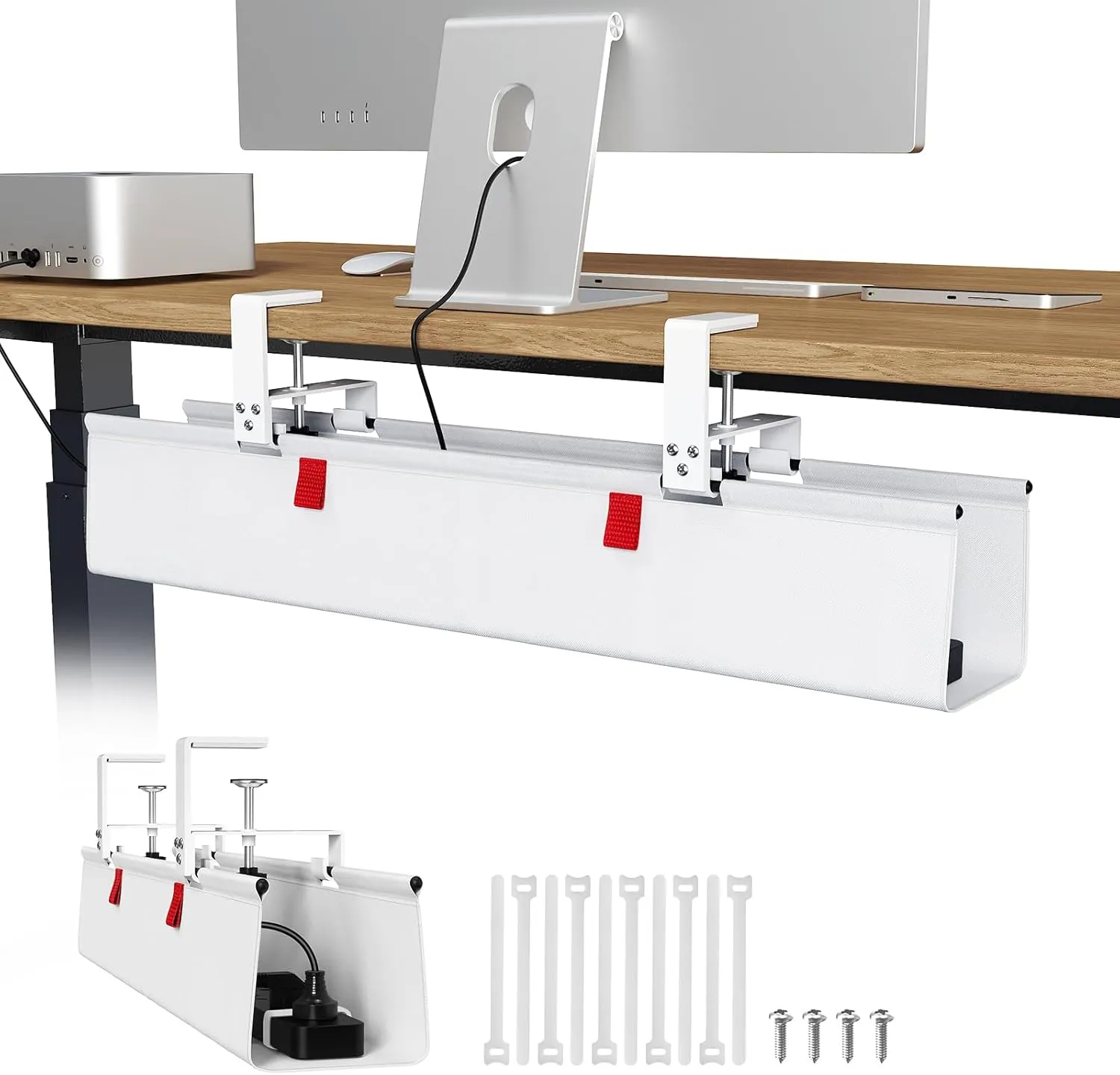
This review is for you. The Univivi cable tray is a fabric trough that clamps onto the edge of the desk with no drilling and no adhesive. It's not a premium product. It's the right product for the problem of cable chaos on a budget.
What fits inside
We loaded ours with a 6-way Masterplug extension (46cm long), a 65W USB-C laptop brick, the power adapter for a monitor, a short 3-way extension for low-voltage chargers, and about two metres of looped-up slack cable.
Total weight: roughly 2.5kg. The tray sat level and didn't sag. We then added a second power brick to push towards the 4kg mark and noticed the fabric bowing slightly in the middle. Past 4kg, the fabric deforms enough that heavy items can shift. For most small-flat setups, you won't go past 3kg.
The internal dimensions are 71cm x 14cm x 14cm. That's genuinely generous. Most budget trays at this price run around 60cm.
Recommended retailer Check the Univivi tray on AmazonTypical price £42. Opens in a new tab. Check current priceInstallation
Two padded metal clamps, each with a thumbscrew. The clamps grip the front and back edge of the desk, the fabric stretches between them underneath. Clamp range is 10mm to 60mm, which covers every IKEA desktop, most solid wood desks, and both the Flexispot E7 and Fully Jarvis frames.
The clamps come with thick rubber pads on the contact surfaces, so there's no marking even on a lacquered desk. We installed, removed, and re-installed three times during testing without leaving a mark.
Total time from opening the box to having the tray in place: about three minutes. You need one open spanner, which is supplied.
If you are planning the whole desk before assembly, read Small Corner Desk Setup Ideas for UK Bedrooms and the monitor arms and desk accessories hub. Cable routes are easier to solve before the desk is tight against the wall.
What to watch for
Size vs desk. The tray is 71cm long. On a 100cm wide desk, it looks slightly oversized underneath. If your desk is narrower than 90cm, a 50cm tray will look more in proportion. The Univivi brand also sells a shorter version.
Colour choice. The white version (the one we tested initially) collects dust visibly within two weeks. The black version hides dust indefinitely. Unless your desk is pale and you want the tray to blend, go black.
Cable exits. The fabric has built-in slots at each end for cables to pass through. It doesn't have any in the middle, so if your power outlet is central to the desk wall, you'll run the cable out of one end and along underneath. Not a problem, but worth knowing before you plan the layout.
How it compares
Against a J-channel raceway (£12), the raceway is cheaper and hides cables flatter against the underside, but it can't hold an extension lead or a power brick. It's a cable hider, not a cable manager.
Against the IKEA SIGNUM (£12), the Signum is a metal trough that screws into the desk. It looks cleaner and is slightly more rigid, but it requires drilling and doesn't hide the contents as well as the fabric covers do. Good choice if you own the desk.
Against the Fully Cable Tray (£75), the Fully tray is beautifully made powder-coated steel with a screw-mount system. It's the best-looking tray in this category. If you're buying a Fully desk anyway, add it to the cart. If you're not, the Univivi does 90% of the job for 30% of the price.
Where to go next
Continue from this article into the most relevant compact setup guides, reviews, and hubs.
Cable planning
Small Corner Desk Setup Ideas for UK Bedrooms
Plan cable routes before assembling a compact corner desk.
Read next
Accessory guide
Best Monitor Arms for Small Desks UK 2026
Compare clamp arms, premium arms, and no-clamp options for smaller desks.
Read next
Desk depth
What Desk Depth Do You Need for a 24-Inch Monitor?
Check whether the accessory solves the real problem, or whether the desk is too shallow.
Read next
Desk hub
Small desk reviews
Browse compact desks that pair well with monitor arms, laptop stands, and tidy cable routes.
Read next