Logitech MX Keys Mini Review: The Compact Keyboard Worth Giving Up a Numpad For
Six weeks using the MX Keys Mini on a 120cm desk. Is losing the numpad worth the 8cm of extra mouse space? For most people, yes.
Who this review is for
You've got a 100cm or 120cm desk. Your keyboard sits in the middle, your mouse on the right. To reach the mouse comfortably, your keyboard has to drift left, which means your hands sit off-centre from the monitor. You've considered a smaller keyboard but don't know which one.
This review is for you, unless you work in spreadsheets all day. In that case, stop reading and keep your numpad.
The space argument
A full-size Logitech MX Keys is 43cm wide. The Mini is 29.6cm wide. That's 13.4cm you get back across the desk, almost all of it on the right where your mouse lives.
In a 120cm desk setup, this is the difference between the mouse sitting in a comfortable centred position versus drifting to the edge. Over six weeks of use, the shoulder pain I'd been attributing to my chair turned out to be my keyboard placement. The Mini fixed it.
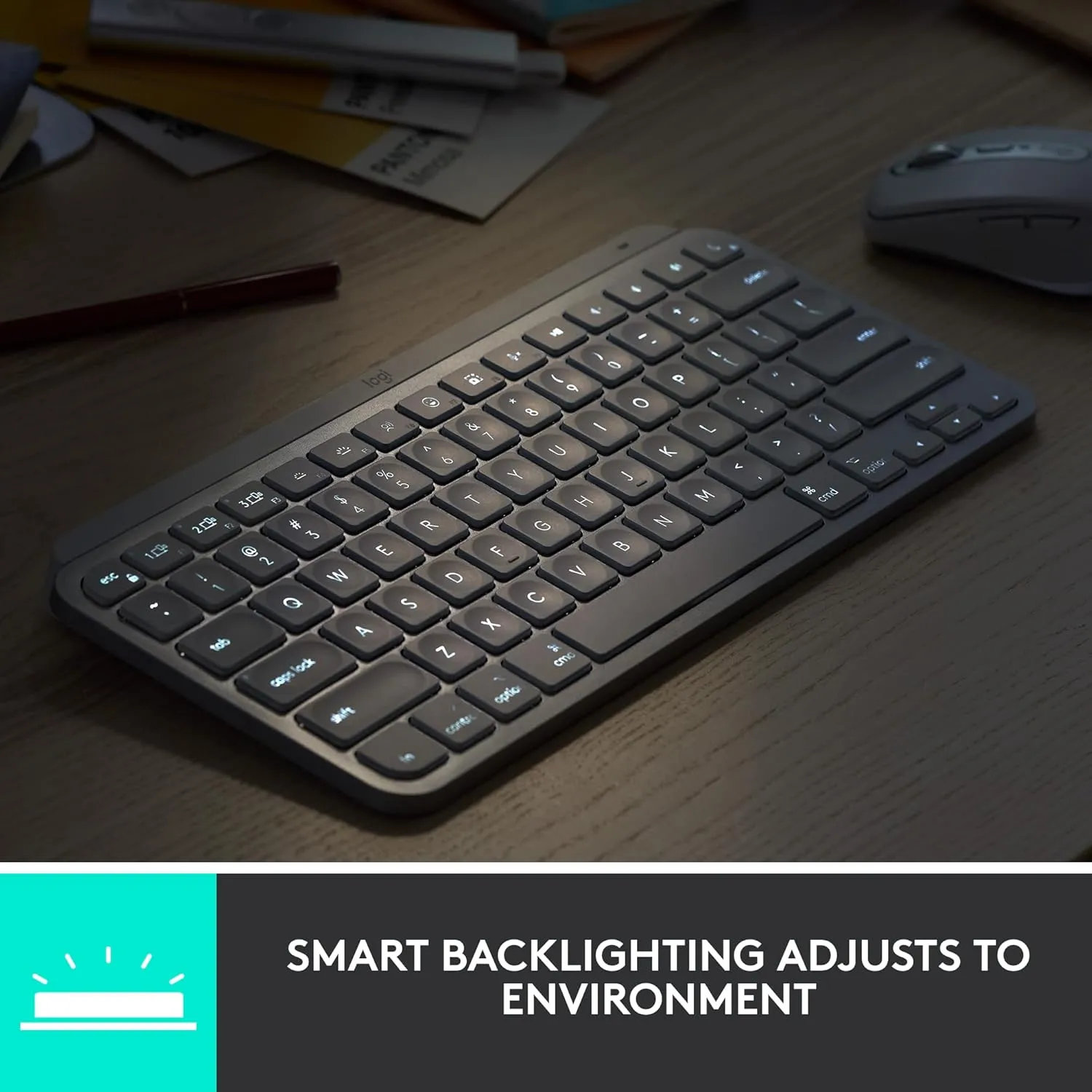
The depth is identical to the full-size at 13.2cm, because the main keys are the same size. Only the arrow cluster, numpad, and some extras are gone. All the shrinkage is on the horizontal axis, which is exactly where a small desk needs it.
For tiny setups, this pairs naturally with 80cm Desk Setup Ideas for Small Bedrooms and shallow-desk reviews such as the ODK 80 x 40cm desk. The keyboard is a small change, but it can make the mouse position feel much less cramped.
Recommended retailer Check the MX Keys Mini on AmazonTypical price £79. Opens in a new tab. Check current priceThe typing feel
The Mini uses the same low-profile scissor switches as the full-size MX Keys. If you've typed on a modern MacBook keyboard from 2021 onwards, you know the feel: short travel, a satisfying click at the bottom, quiet enough to not annoy anyone in the same room.
It's not a mechanical keyboard. If you want a Keychron or a Ducky with Cherry switches, this isn't for you and you know it. For everyone else, it's a genuine step up from the supermarket-tier Logitech K380, which has mushier keys and no backlight.
Six weeks in, typing speed is back to where it was on the full-size. Accuracy is actually slightly better because the keys are concave to fit fingertips, a tiny detail that you notice after about a day.
Multi-device switching
Three Bluetooth connections. Press F1 for your laptop, F2 for your iPad, F3 for your work machine. Each press takes about half a second to switch.
This matters more than it sounds if you work from home with a personal laptop and a work laptop. One keyboard, one mouse (pair with an MX Anywhere or MX Master which do the same trick), and you switch contexts without swapping peripherals.
Battery and charging
USB-C on the back, charges from any phone charger or laptop port. Logitech claims five months with backlight on, ten months with backlight off. Over six weeks of daily use with backlight permanently on, the battery is at 68%. On pace with the claim.
The backlight has a proximity sensor. Bring your hands near the keyboard and it turns on. Walk away for a few seconds and it turns off. You never think about it.
What doesn't work
No numpad. This is the entire trade-off. If you do data entry, accounting, or heavy spreadsheet work, the Mini is actively worse than a full-size. Every number goes from one hand to two. The standard MX Keys keeps the numpad and is the better pick if this is you.
No dedicated arrow cluster. The arrows are crammed in half-height, which is fine for editing text in a document but awkward if you game occasionally and use arrow keys for movement. Not a dealbreaker, but worth knowing.
Function row keys are smaller than the main keys. The F1 to F12 row is about 70% the height of a regular key. It takes a week to stop missing Escape. After that week you stop noticing.
How it compares
Against the Keychron K3 Pro (£95), the K3 Pro is mechanical, has RGB, and feels amazing to type on. It's also louder, heavier, and the multi-device switching is fiddlier. If you want a mechanical feel, buy the K3. If you want a clean wireless workhorse, buy the Mini.
Against the Logitech K380 (£40), the K380 is half the price, has a worse backlight (none), mushier keys, and isn't rechargeable (AAA batteries). It works. The MX Keys Mini is better in every way except price.
Against the Apple Magic Keyboard with Numeric Keypad (£129), the Apple keyboard is a full-size and larger than the Mini. The Mini's main advantage over the Apple at this price is cross-platform compatibility, better backlighting, and USB-C charging instead of Lightning.
Where to go next
Continue from this article into the most relevant compact setup guides, reviews, and hubs.
Accessory guide
Best Monitor Arms for Small Desks UK 2026
Compare clamp arms, premium arms, and no-clamp options for smaller desks.
Read next
Desk depth
What Desk Depth Do You Need for a 24-Inch Monitor?
Check whether the accessory solves the real problem, or whether the desk is too shallow.
Read next
Desk hub
Small desk reviews
Browse compact desks that pair well with monitor arms, laptop stands, and tidy cable routes.
Read next