BenQ ScreenBar Review: The Desk Lamp That Takes Up Zero Desk Space
A traditional desk lamp eats 30cm of desk in a small room. The BenQ ScreenBar clips onto the monitor and lights the same area. Here's the catch.
Who this review is for
You work from a desk that's 100cm or 120cm wide. Your monitor takes up most of the back half, your keyboard and mouse eat the front. Adding a traditional desk lamp means the base sits somewhere between your elbow and your coffee, which is why you haven't bought one despite the overhead light being useless after 5pm.
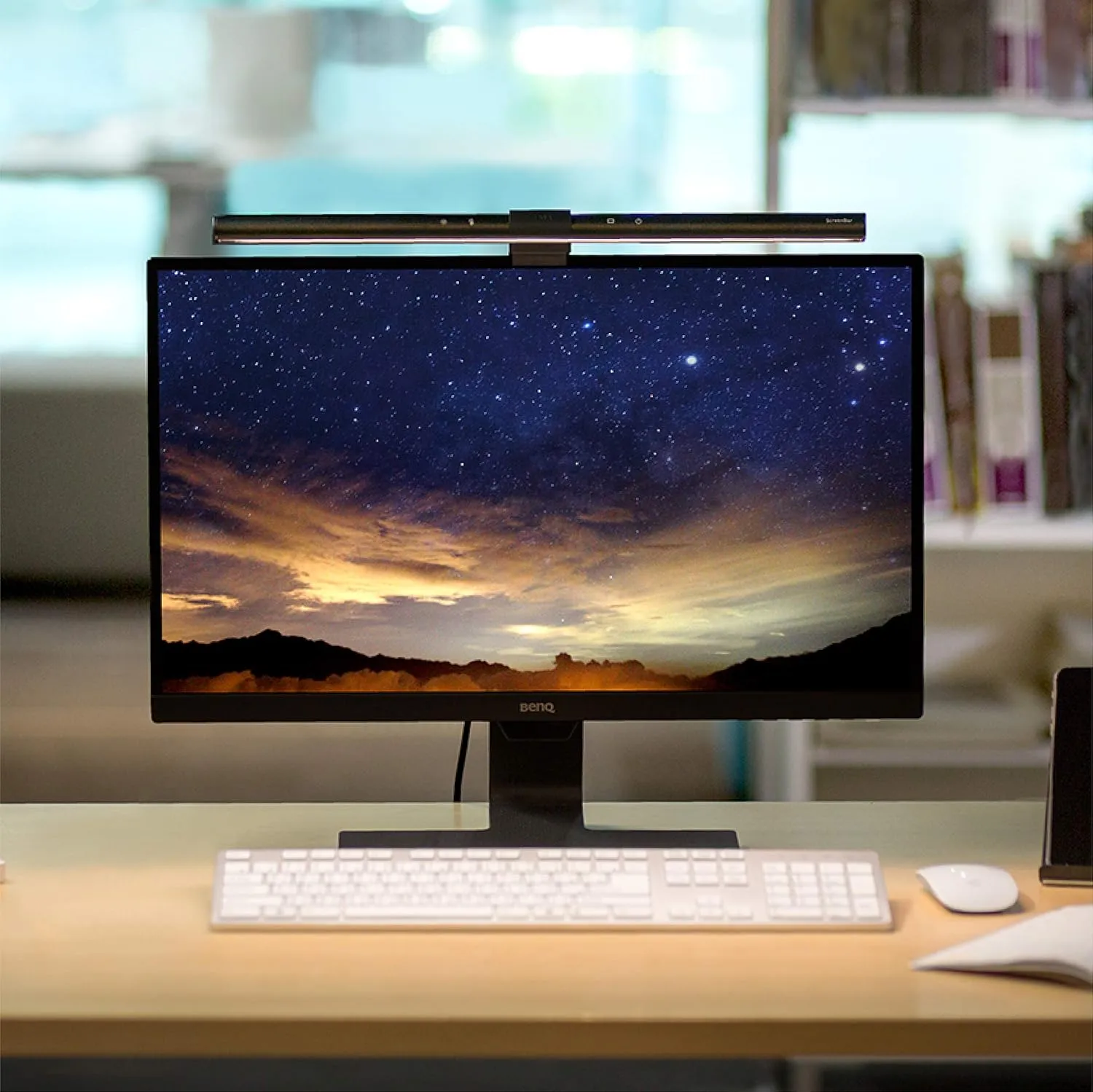
The BenQ ScreenBar solves this by not using the desk at all. It clips onto the top of your monitor and shines downwards at the keyboard area.
If you are still choosing the desk, pair this with What Desk Depth Do You Need for a 24-Inch Monitor? and the monitor arms and desk accessories hub. Lighting helps most when the monitor position and desk depth already make sense.
How the clamp works
This is the bit that makes the ScreenBar feel like a proper bit of engineering rather than a gimmick. There's no tightening screw. The clamp is a counterweight: the back of the bar sits behind your monitor, the front rests on top. Gravity holds it. You can lift it straight off in one hand when you want to.
It fits monitors between about 10mm and 30mm thick at the top bezel. Every standard flat panel I've tested falls in that range, including thin modern LGs and older chunky Dells. Curved monitors with a curvature radius above 1500R work fine. Tighter curves can have issues and that's what the ScreenBar Halo (with its thinner clamp) is designed for.
Recommended retailer Check the ScreenBar on AmazonTypical price £99. Opens in a new tab. Check current priceThe lighting trick, explained
A normal desk lamp points light in all directions. Some hits the paper or keyboard, most of it hits the wall, the monitor, and your eyes. That's why reading by a desk lamp next to a screen creates glare.
The ScreenBar uses an asymmetric reflector that only projects light forwards and downwards. Nothing goes backwards towards the screen, so there's no glare bounce. The illuminated area on the desk is roughly 60cm wide by 30cm deep at 500 lux, which is the standard for reading comfort. In practical terms: your keyboard, mouse area, and any paper in front of you are all well-lit, and the monitor shows zero reflection.
Auto-dim, which is the feature you'll actually notice
There's a small sensor on the underside of the bar. You set the brightness once by holding the touch control for a few seconds, and after that it tracks ambient light. Working through a British afternoon in February, the light comes on around 3.30pm and ramps up gradually through to 5pm. You don't think about it, which is what you want from desk lighting.
The colour temperature goes from 2700K (warm, yellowish) to 6500K (cool, daylight) and is adjustable via the touch controls. For coding or reading I run it at around 4500K. For late evening I drop to 3000K to match the rest of the room lighting.
What doesn't work
The controls are on top of the bar. To change brightness or temperature, you reach over or around the monitor. It's a small thing, but it's why the ScreenBar Plus exists: it adds a physical dial that sits on the desk. The Plus is £30 more. If you adjust the lighting often, get the Plus. If you set it and forget, the original is fine.
USB-A cable. The bar ships with a USB-A cable and no power adapter. You're expected to plug it into a USB port on your computer or monitor. If your monitor has a built-in USB hub, this is ideal because the bar turns on with the monitor. If you don't, you'll need a spare USB-A port or a charger with one.
Width. The bar is 45cm wide. On a 27 inch monitor this looks proportional. On a 21:9 ultrawide it looks undersized, and you'll want to look at the ScreenBar Halo or Pro instead, both of which have wider light throw.
How it compares
Against the Xiaomi Mi Computer Monitor Light Bar (£55), the Xiaomi is the closest clone and does most of the same things. Build quality is noticeably lighter, the clamp feels flimsier, and the colour accuracy (CRI) is lower. If budget is tight, it's a reasonable pick. If you're spending £99 anyway, the BenQ is a proper step up in build.
Against the BenQ ScreenBar Halo (£159), the Halo adds a wireless remote puck for the desk, a backlight that shines behind the monitor, and better compatibility with curved monitors. Worth the extra if you have an ultrawide or want ambient backlighting. Overkill for a standard flat 27 inch setup.
Against a traditional clamp-on desk lamp (£25 to £80), the desk lamp wins on cost and on not being attached to a monitor. It loses on the footprint question, which is the entire point of this review.
Where to go next
Continue from this article into the most relevant compact setup guides, reviews, and hubs.
Accessory guide
Best Monitor Arms for Small Desks UK 2026
Compare clamp arms, premium arms, and no-clamp options for smaller desks.
Read next
Desk depth
What Desk Depth Do You Need for a 24-Inch Monitor?
Check whether the accessory solves the real problem, or whether the desk is too shallow.
Read next
Desk hub
Small desk reviews
Browse compact desks that pair well with monitor arms, laptop stands, and tidy cable routes.
Read next